NOTICENothing here is for sale, and there isn't even a till: everything here is free, everything is an experiment, and all of it is for fun. Touching the displays is encouraged.
Concordance · how it's made
Music → chimes → montage
This is how it's made.
It isn't a video model, and it isn't one prompt. A chime is a small program: one HTML file, written with Claude over many sessions, one feature at a time. It holds a board of little drawings that listens to a song and moves with it. When you play it, it draws every frame itself, live, from the music: nothing is generated, nothing is pre-rendered, and recording a take is simply filming that program while it plays.
The boards here are fun for people like me who like to montage things. But a chime can look like almost anything: its look comes from the prompts that shaped it and from how its frame is composed, so two chimes can share nothing but the idea.
TWO ROADS ON THIS PAGE
▶ Part one · make a video with the boards
1The music
Two ways in. Bring any song (an mp3, m4a, wav or mp4), or write one for
MODEL B-1 · the band: a song there is a sheet, a small text file where one token is one sixteenth note.
The band reads the sheet and plays it with voices built from oscillators and noise, so there are no borrowed samples. Then
⤓ WAV renders the whole song, note by note, to a file.
No sheet to write? Press ✎ SONG BUILDER: pick a style, a key, the chords and the parts, and the band writes the song for you.
To make music right in your browser, open THE RUSTY DOOR from the TOOLS screen on Concordance:
the band and the line editor in one music editor, three ways in (compose a whole song, write it in blocks, or as code), kept as code or as a WAV / M4A.
"beat": {
  "kick":  { "inst": "linn kick",   "seq": "x...x...x...x..." },
  "snare": { "inst": "gated snare", "seq": "....x.......x...", "fx": ["reverb"] }
},
"pads": {
  "pad":   { "inst": "PWM pad ♪",   "seq": "Am@3 -*15 | F@3 -*15", "fx": ["pump", "reverb"] }
}
That's a kick on every beat, a snare on two and four, and a pad holding A minor then F, ducking under the kick. The full sheet format is in the kit's READ ME.
2The chimes
A CHIMES board is a 9 × 9 face of small machines, like a puzzle cube: records, cassettes, an EQ, a mirror ball, a sinking sun. Load a song and the board listens first, finds the beats, then plays: on the beats, whole rows and columns slide, and every machine answers the sound in its own way.
✋ The boards are interactive. While it plays, drag a row or a column with your finger (on an iPad or a phone) or the mouse, and it slides like a puzzle cube; the little machines react to being carried. You play along with the song.
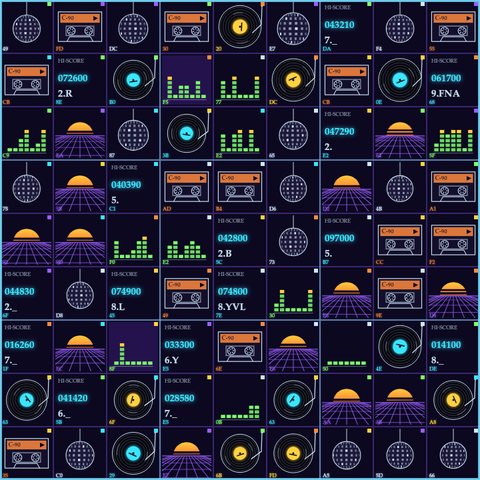
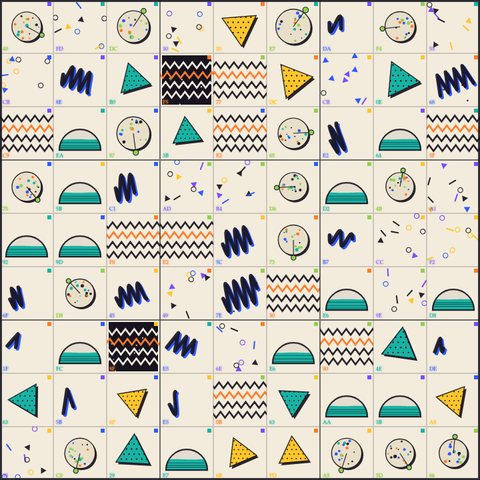
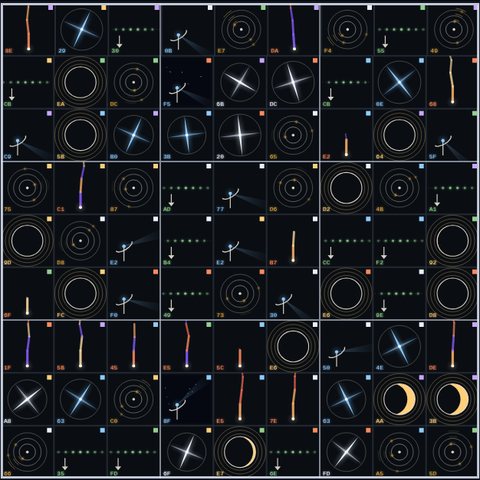
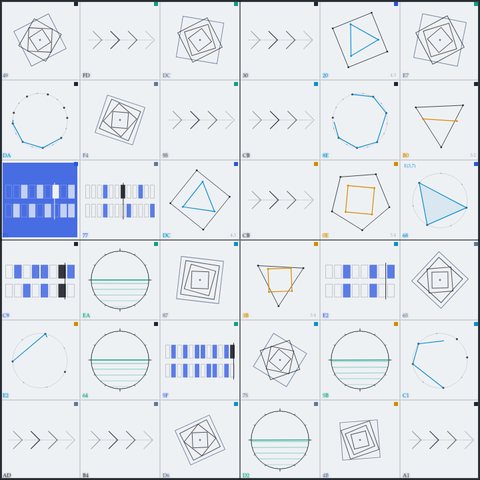
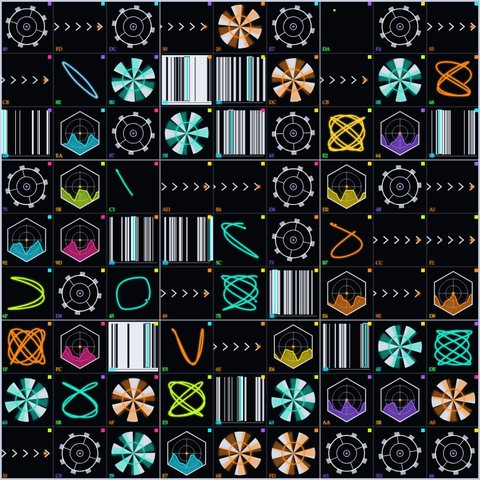
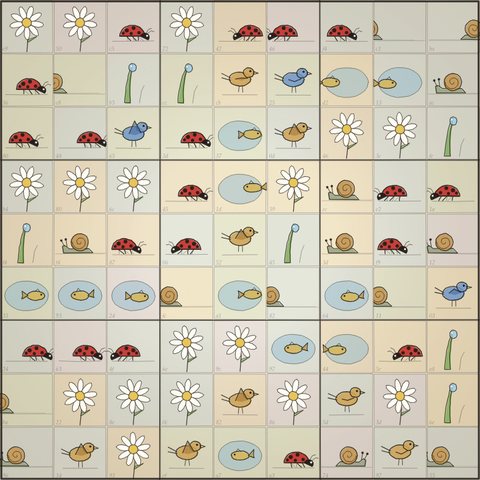
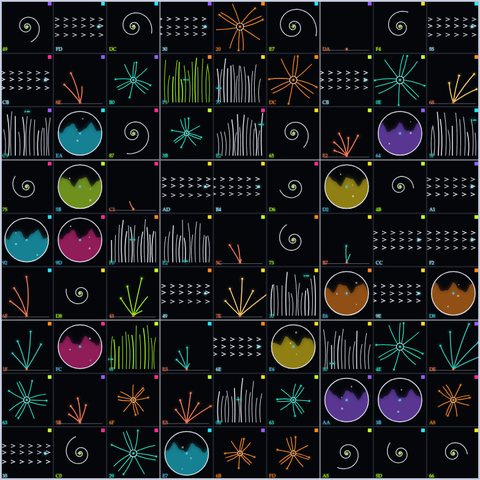
A board can be fed two ways. Hearing: it listens to any song's sound, which is what the kit's boards do. A folio: a song written note by note that the board reads, so each tile moves exactly on its note. Folios are new and experimental, and they have their own corner below, the LAB.
The band's sheets aren't folios. To put one of the band's songs on a board, render it to a WAV and let the board hear it.
3The take
Both kinds of board share the same controls. Only the input changes: a board that hears takes a song, and a board that plays a folio takes a folio.


.music.json saved by the line editor♪ LOAD SONGon a board that hears: choose the music, an mp3, m4a, wav or mp4. The board listens through it first and finds the beats.◈ LOAD FOLIOon a board that plays a folio: choose a folio. The board reads its notes, so there's nothing to listen to first.▶ PLAY⏸ PAUSEplay it, watch, and drag rows and columns with a finger or the mouse while it plays.⟳ LOOPLOOPS 1–4folio boards only: a folio is a loop. LOOP plays it round and round (or once), and LOOPS sets how many rounds TAKE records.⏺ RECrecord by hand; press again to stop and save.⏺▶ TAKEthe whole song (or the chosen loops), start to end, recorded for you.
⏺▶ TAKE records the whole song, board and sound together, with half a second of silence at each end, and saves it to
your Downloads. ⏺ REC records by hand. Nothing is uploaded, ever. Record the same song on two or three boards:
every take comes from the same sound, so they line up exactly in your editor.
4The montage, a choice
This is the part I love. The takes are raw material, and any editor with masks and keyframes will do.
- Layer the boards. Put one board inside another's frame, or a strip of one beside the other. Since they share the song, they move together.
- Mask. A line mask gives you a single row of tiles, a band or a thin seam of light. A shape mask lifts one tile out.
- Screens in screens. Pin a take onto an old TV or a monitor with its four corners. Bow it a little like curved glass, and let the room's light catch on it.
- Loops that close. Drive every effect from one cycle, so its last frame is its first. The loop then has no seam and no jump, however long you use it.
- Cut on the beat. Switching boards on a beat looks like the music did it, because it did.
This montage is my own taste, because I enjoy it, and it's a choice. A chime can be crafted in many ways without any montage: its board, its composition and its frame can be the whole picture, and a take can stand on its own. The rest is up to your taste and your craft. Play around.
⤓The kit
Take only what you want. Each pack runs from its own files in Chrome or Edge on a computer, and comes with a short READ ME. All of it is free, to use and to learn from.
MODEL B-1 · the band
The band, and three songs to load: Insert Coin, Night Drive, Closes Truly. Write your own sheet, or ask your AI to.
ina band sheet (.band.json)
outthe song as a WAV or M4A
CHIMES · seven boards
Seven boards that hear any song. Load a song, the board finds the beats, rows and columns slide on them, and TAKE records it.
inany song: mp3, m4a, wav, mp4
outa take: the board and your song
The LABEXPERIMENTAL
The line editor with Takatum loaded, and one board that plays a folio, as a template. Write, save a folio, load it on the board.
inyour clicks, or a folio
outa folio (.music.json), and the board's take
With the full kit, the whole road in five steps:
- Open
MODEL B-1 - the band.html, press◈ LOAD, chooseInsert Coin.band.json, press▶. - Press
⤓ WAVand wait for the render. - Open
CHIMES/the Arcade - hears any song.html, press♪ LOAD SONG, and choose that WAV. - Press
▶ Play, drag a row or two with a finger or the mouse, then⏺▶ TAKE. - Do the same on Memphis '85, and montage the two takes.
✎ Part two · build your own chime
You don't need any of this to make a video: the boards above are ready to play. This part is for when you'd like a chime of your own: what one is made of, the LAB where folios are being tried, and the prompts to start one with your AI.
⚙Under the hood, file by file
No GIFs, no SVG, no image files, no libraries. Everything you see is drawn by code on an HTML
<canvas>, fresh on every frame, and every sound is built by the browser's own audio engine. Nothing is fetched from the internet.
A CHIMES board one HTML file · 102 to 110 KB
- The picture: the Canvas 2D API. The board is 9 × 9 tiles, and each tile is a small function that draws its machine from a few
numbers (an angle, a level, a phase) with lines, arcs, gradients and text. All of it is redrawn on every frame the screen shows, usually 60 a second, with
requestAnimationFrame. - The hearing: the Web Audio API. The song is decoded (
decodeAudioData), mixed to mono and split into three bands, low, middle and high, by simple filters. Each band's loudness is followed about 93 times a second, and an onset is marked wherever a band jumps above its own recent average. The onsets become the moves: rows and columns slide on them. While it plays, anAnalyserNodegives the live loudness the machines answer. - The recording: each frame is copied onto a 1080 × 1080 canvas. Its picture (
captureStream) and the song's sound go into aMediaRecorder, which writes an MP4 (H.264 and AAC) where the browser can, or else a WebM.
MODEL B-1 · the band one HTML file · about 107 KB
- The sound: every voice is built live from oscillators (sine, square and sawtooth waves) and noise, shaped by filters and envelopes.
The reverb is a
ConvolverNodefed a room made of decaying noise, not a recording. Delay, chorus, drive and the "pump" that ducks under the kick are Web Audio nodes too. - The song builder: seven styles (synthwave, 80s pop, lo-fi, punk, acid, deep sea, music box), any key, major or minor, five chord progressions each,
the parts you want and their instruments, short or long. It writes an ordinary sheet, so you can read it, change it, and keep it as code (
⤓ SAVE) or as sound.🎲 another melodywrites a new tune over the same chords. - The reading: a sheet is plain JSON. The band turns each lane's tokens into notes, chords and holds, and schedules them on the audio clock.
- The render:
⤓ WAVplays the song into anOfflineAudioContext, two seconds at a time, and writes a 48 kHz, 16-bit stereo WAV byte by byte.⤓ M4Apresses the same render to AAC with WebCodecs'AudioEncoder, in an MP4 box made by mp4-muxer (MIT licence), which is inside the file.
The songs .band.json · 4 to 9 KB each
- Plain text. Open one in any text editor to read how a song is written, change a note, and load it again.
⚗The LAB · chimes and foliosEXPERIMENTAL
This part has only just started. It's a lab, and it's here for fun: for anyone who's curious (or not) and wants to play with what a browser can do with music. Nothing in it is finished. Try things, break things, see what happens.
A folio is a song written as a grid instead of recorded. Each line is one instrument, and the steps you light
are when it plays. It's saved as a small text file, a .music.json. A board that reads a folio doesn't have to listen
for the beats, because it already knows every note: each note moves one line of tiles at the moment the board plays it.
The line editor experimental · one HTML file · about 109 KB
- Writing: a line is an instrument, from 107 sounds all built in the page (marimba, kalimba, acid bass, theremin and the ocean among the newest). Click a step to light it. On a line with a note (♪), click a lit step again to move its note up the scale. There's a tempo, 3, 4 or 5 beats to a bar, up to 8 bars, a metronome, and 18 effects you can stack on each line: echo, phaser, chorus, wah, bitcrush, telephone, underwater and more.
- It opens on Takatum: a folio made in this editor, 25 lines at 107 BPM over four bars, so there's something
to hear the moment you press
▶ Play. - What comes out:
◈ SAVE FOLIOwrites your song as a.music.jsonto your Downloads.▤ EXPORT THE CHARTshows the same data as text you can copy, and▲ IMPORTtakes it back. Or keep it as sound:⤓ WAVor⤓ M4Arenders the loop, played as many times as you choose.
Ink & Paper · plays a folio one HTML file · about 102 KB
- What goes in: a folio from the line editor, with
◈ LOAD FOLIO. Takatum is already loaded. - How it moves: it plays the notes itself, on the audio clock, with its own copy of the editor's sounds. A note with a pitch slides the row that matches its pitch; each drum or effect has a row or a column of its own. The kick, the snare and the clap also pulse the whole board.
- What comes out: the same
⏺▶ TAKEas the other boards, 1 to 4 loops of the song, board and its own sound together, as an MP4 or a WebM.
What goes in, what comes out
| goes in | comes out | |
|---|---|---|
| MODEL B-1 · the band | a band sheet (.band.json), or a few choices in the song builder | the sheet as code, or the song as a WAV or M4A |
| a board that hears | any song: mp3, m4a, wav, mp4 | a take: the board and your song |
| the line editor | your clicks, or a folio | a folio (.music.json) or the chart as text, or the loop as a WAV or M4A |
| a board that plays a folio | a folio | a take: the board and its own sound |
Two kinds of sound
- Sound from a music file. A board that hears plays your song back as it is. It listens first, because it can't know what's inside until it does. Any song works, whoever made it.
- Sound built in the browser. The band, the line editor and the folio board make every sound live with the Web Audio API, from oscillators and noise. Nothing is recorded: the song is only text until something plays it. That's why a whole folio is a few kilobytes, and why the board can know every note before it sounds.
Try it
- Open
LAB (experimental)/THE LINE EDITOR - experimental.htmland press▶ Play. That's Takatum. - Change something: light a step, move the tempo, add a line. Give it a name and press
◈ SAVE FOLIO. - Open
LAB (experimental)/Ink and Paper - plays a folio (Takatum loaded).html, press◈ LOAD FOLIO, choose your file, and press▶ Play. Then⏺▶ TAKE, if you like it.
Where it stands for now: only Ink & Paper reads folios so far. It plays the notes but leaves out the editor's volumes, pans and effects. It knows the editor's first 57 sounds; the 37 band voices at the end of the list play in the editor only, for now.
✎Starter prompts
There's no magic sentence. What works is asking for one small thing at a time, looking at it, and saying what you see. These are good first steps; each is one session.
The music: choose its input. Music arrives in many forms and files. Pick the one you have, or the one you want to make.
- A song you already have: a regular mp3, m4a, wav or mp4. No prompt needed, because the board from the first prompt listens to it.
- Ask your AI to write the music as text, for a band made of code like MODEL B-1 · the band.
Render it to a WAV, and the board hears it like any other song.
Make a band in one HTML file that plays songs written as JSON: tempo, patterns of lanes, one token per sixteenth note, chords by name. Build every instrument from oscillators and noise, with no samples, and add a button that renders the song to a WAV. Then write me a first song for it: synthwave, Am F C G, about a minute and a half.your own band, and a song written by your AI
- A folio: the song written note by note in a step editor, like the line editor in the LAB (experimental).
The board doesn't listen: it reads the notes and plays them itself.
Make a step editor in one HTML file: each line is an instrument built with the Web Audio API, with steps I click to light, a tempo and a metronome. Save the song as JSON. Then make my board read that JSON and slide one line of tiles on every note, at the moment it sounds.a folio (experimental)
Then keep going: "the reels should turn the way the tile last moved", "the sun swells on the beat", "no pink". The details are where it becomes yours.